Links Below the Search Results
The links below the list of tires filter the list to make finding the right tire easier. These links appear only when Tire Quote is in Online search mode.
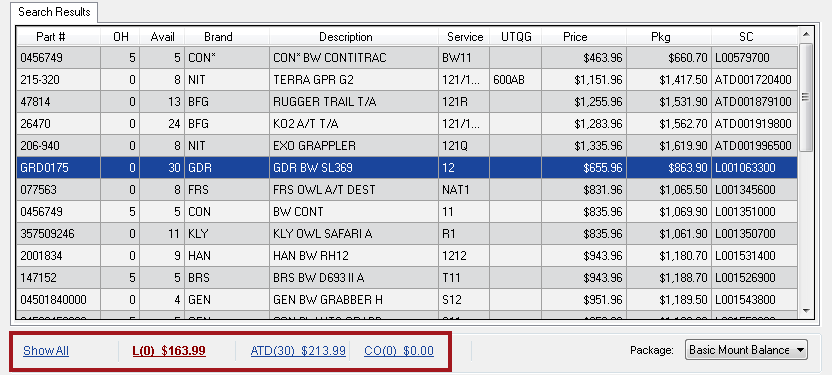
These links
- Sort the search results by that link when clicked
- Displays the on hand quantity (OH) or availability of the tire selected in the list
- Displays the price each for the tire selected in the list.
NOTE: In Online mode, if a tire is available from multiple sources, it appears in one line. Select the tire and check the links at the bottom to see if the tire is available from more than one source.
Show All
Both local inventory and Show All results appear in the Pop Sort (lowest cost to the customer and highest margin for the shop) by default.
Sorting by Local Inventory
The local inventory link begins with an "L" to indicate local inventory. Click the L link to see only the matching tires in your local inventory. The cost and margin column values begin with an "L" to indicate local inventory.
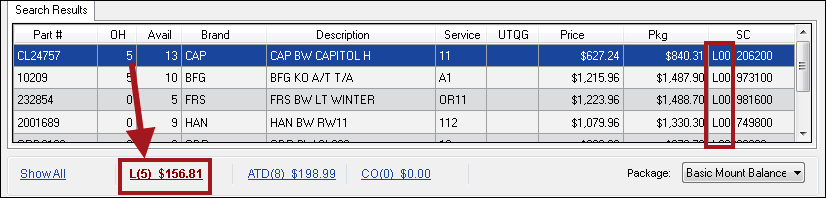
Search results for local inventory display first. Only local tires appear in the search results and the L link is red and bold.
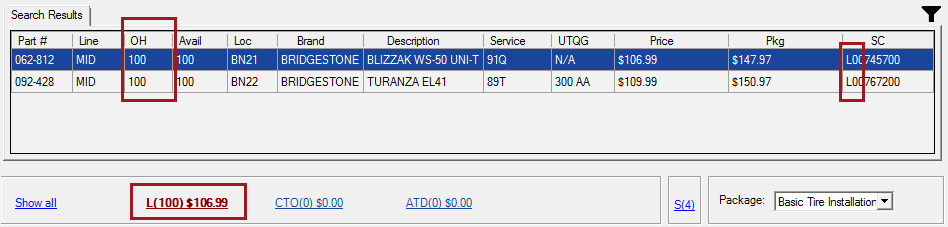
This does NOT mean that only local tires match the search criteria.
- To see the results from the online catalogs, click that catalog’s link.
- To see all results, click the Show All filter link.
If there is no local inventory for the quantity selected, the search results display in Show All automatically.
Local Link
The information in the local link represents only the tire selected in the list.
| Item | Indicates… |
|---|---|
|
L |
The local inventory status of the selected tire. |
|
(OH) |
The number of tires on hand for the selected tire. This value should match the value in the OH column of the selected tire. |
|
$ |
The local inventory price for one of the selected tires (i.e., the "price each" for that tire). If the price is zero, this tire is not in local inventory at all. The Price and Package columns show the price for the minimum quantity selected. |
For example,
- L(0) $125.00 mean the tire is in local inventory but there are none on hand right now.
- L(0) $0.00 means the tire is not in local inventory at all.
Sorting by Supplier
There is a link for each supplier. The link name starts with the supplier code. Click the supplier link to see only matching tires from that supplier.
The values in the cost and margin column begin with the supplier code as well.

NOTE: The information in the link represents only the tire selected in the list.
| Item | Indicates… |
|---|---|
|
Supplier Code |
The supplier code of the selected tire. |
|
(Avail) |
The number of the selected tire available from the supplier. This value should match the value in the Available column of the selected tire. |
|
$ |
The supplier's price for one tire (the "price each" for that tire). The Price and Package columns show the price for the minimum quantity selected. |